
Practical how-tos
QR codes in hotels: one code per room instead of a folder
The welcome folder gets lost, the Wi-Fi card fades, and reception answers the same three questions every evening. One code in the room settles most of them before anyone picks up the phone.
The folder has one problem: it cannot be updated
Breakfast moved from seven to eight. The pool closes for maintenance on Tuesday.
The folder in the room still says otherwise, because there are forty of them and a reprint is a project.
The guest reads the folder, walks down at seven, and finds a locked door.
Nobody is at fault and the stay is already slightly worse. Paper is very good at being cheap and very bad at being current. That single weakness is what a code in the room actually fixes.
What guests actually ask
Read a week of reception questions and the list is boringly consistent: the Wi-Fi, breakfast times, check-out, the safe, the coffee machine, where to park, how to get a taxi at six in the morning.
None of this is interesting, and that is exactly why it belongs on a page: nobody wants to explain the coffee machine for the fourth time in one shift.
One code per room, not one per hotel
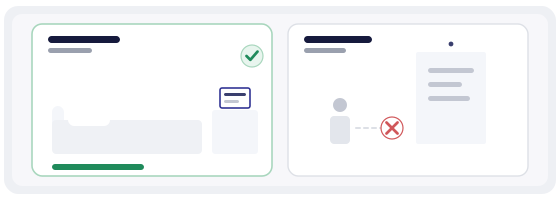
A single hotel-wide code is easier to maintain and answers the same three questions for everyone. A code per room costs the same to print and tells you something a shared code never will: which room asks, and when.
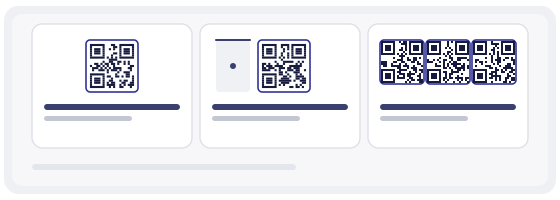
One code for the whole hotel
Simplest to manage. Fine for a small guesthouse where reception is twenty steps from every door.
One code per room
Each room gets its own link, so every scan identifies the room. You can also add what is specific to it: a late check-out, the sea view, an extra bed.
One per area
A code in the lobby, one by the pool, one in the restaurant. Useful when one building holds several separate experiences.
If you cannot decide, start with one code per room. It is the only version that gives you data you can act on next season.
The Wi-Fi password nobody can read
A Wi-Fi code is the most used code in any hotel, and also the one most often printed badly: the password exists only inside the pattern, with nothing readable underneath. When a phone refuses, there is no plan B, and the call reaches reception anyway.
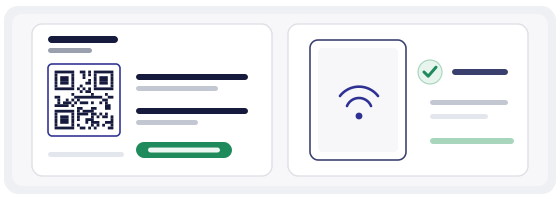
Print the network name and the password in plain text under the code. It costs one line of ink, removes the most common support call, and helps the guest who wants to connect a laptop rather than a phone.
Recent iPhones and many Android phones join a network straight from the camera, with no app. Older devices and some corporate phones do not — which is precisely why the readable password is not optional.
A page that speaks the guest's language
The person reading your page at eleven at night is often not reading in your language. A page that opens in English and switches to German, Spanish or French on a tap removes a small but real barrier — and it removes the awkward version, where someone translates the coffee machine instructions with a camera app.
Keep the wording short and concrete. "Breakfast 7:00–10:30, ground floor, ask for a table by the window" beats any paragraph about our commitment to guest satisfaction.
Print once, update forever
A static code carries the address inside the pattern. Change the page, the season or the breakfast time, and every printed card in every room points at something that no longer exists.
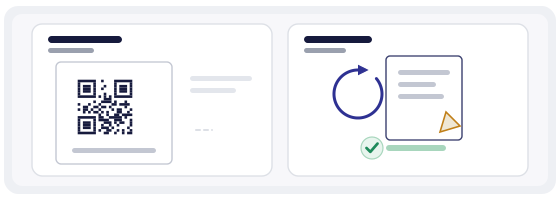
A dynamic code points at a short link you control, so a new breakfast time is an edit in the dashboard rather than a reprint of forty cards. The trade-off is honest: each scan now passes through a redirect service, so the code depends on that service staying up. For a card that lives in a room for a year, that is usually a fair exchange.
There is more on the difference in how a dynamic QR works.
Ask for the review while the guest is still in the room
Asking at reception is late. The bag is packed, the taxi is waiting, and the only thing on the guest's mind is the airport. The better moment is the quiet one, on the last evening, while the stay is still a memory in progress.
Which is why the review link belongs on the same page as the Wi-Fi and the check-out time, not on a separate card that appears at the desk. They already open that page — you are not asking for a favour, you are adding a line.
A code cannot turn a bad stay into a good review, and it should not try. If the room was noisy, the honest fix is the room. The code only removes friction for guests who were already happy.
Where the code physically goes
- at eye level, not on the desk under the lamp — people scan what they can see without bending
- one code per card, with a single line above it saying what it opens
- matte surface; a glossy laminate under a ceiling light reflects straight into the camera
- large enough to scan from arm's length — about 2 cm minimum, more in a dim corridor
- test the printed card in the actual room, at night, with the light you actually have
A small card next to the bed works better than a laminated A4 on the wall. The code is not decoration; it should sit where a hand already is.
How to build it in practice
The QR generator turns your page address into a working code in under a minute. Make one per room and name each code after the room — "Room 204, guest page" — because in six months you will not remember which link was which.
The QR Studio is where it becomes an object rather than a square: your colours, a small logo in the middle, templates sized for a bedside card, and an SVG export that stays sharp at print resolution. Keep the logo small and away from the corners; a beautiful code that will not scan is just a picture.
Before you print forty cards, run each code through the QR scanner to see what it opens and where it lands. Ten seconds now beats a season of apologising at the desk.
The mistakes that waste a room card
- putting everything on one wall poster, so the code lives where nobody stands
- printing the password only inside the code, with nothing readable as a fallback
- pointing at a PDF that has to be downloaded and zoomed on a phone
- one shared code for every room, then wondering which room generates the calls
- never updating the page, so the code is current in form and wrong in content
- forgetting the review link, which is the one line a hotel actually wants