Cybersecurity & QR
Public Wi-Fi QR codes: what to check in ten seconds
A QR code on the café wall is convenient right up until someone sticks their own on top of it. The bad news is that a fake can look exactly like the original. The good news is that the check takes seconds, and it is worth doing every time you sit down somewhere new.
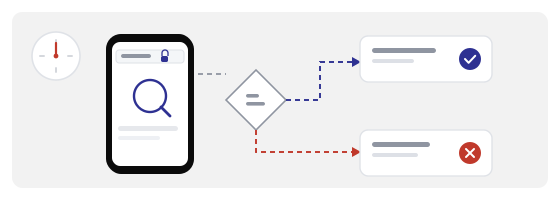
Not sure about a code? The scanner shows the address before it opens.
Check a code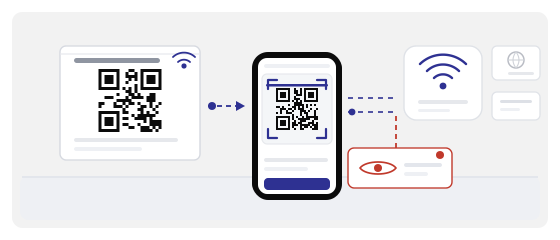
Two different codes hide behind the same square
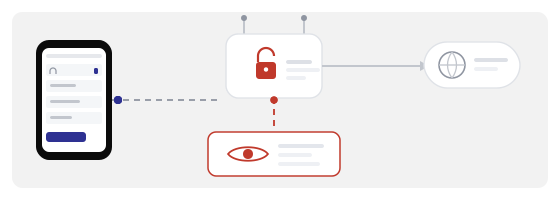
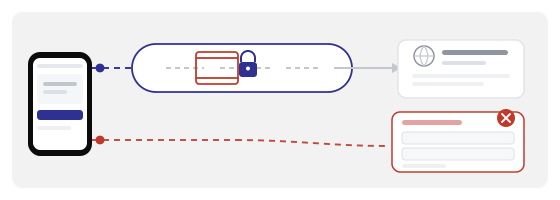
This is the part most guides skip, and it decides where the risk actually sits. Some Wi-Fi codes carry the network settings themselves: the name, the encryption type, the password. Your phone reads the square and joins the network without asking you anything. Others carry nothing but a web address, and scanning them opens a page where you still have to tap a button, accept terms, or type something.
Most venues use the second kind, because a login page lets them show you the menu, collect an email, or put a time limit on the session. That single fact changes the advice: with a settings code, the danger is the network. With a link code, the danger is the page — and the page is where you should be looking.
What a Wi-Fi code can and cannot do
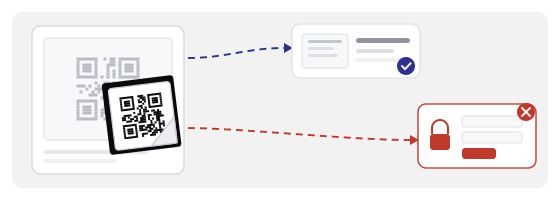
A Wi-Fi code cannot install anything on your phone, read your messages, or open your camera. It is not an app, and it does not run code. Even in the worst case it does one of two things: connects you to a network you did not intend, or opens a page you did not intend.
That is genuinely reassuring, and it is also where the reassuring part stops. Both of those outcomes hand someone else a position they did not have before. Being on a stranger's network is a real exposure, and a convincing fake page is the oldest attack on the internet. The code is not the attack; it is the door.
The ten-second check
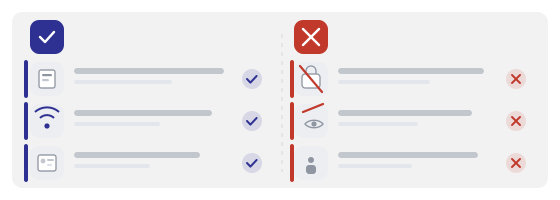
Four things, in this order, and none of them require any technical knowledge.
If any of the four feels off, use your mobile data. That is the whole verdict. Nobody has ever regretted not joining a café network.
The network itself is the bigger risk
Here is the honest version, without the spy-film framing. On an open network, the person running it can see which sites you connect to, even when the pages themselves are encrypted. They can also insert their own pages where yours should appear. They cannot read an HTTPS page's contents, but they can see where you went and they can put something in front of you.
What that means in practice is narrower than the scare articles suggest. Reading news on a café network is fine. Logging into your bank, buying something with a saved card, or opening a work inbox on it is not, because those are the moments where being watched would matter and where a fake page would pay off.
The three fakes worth recognising
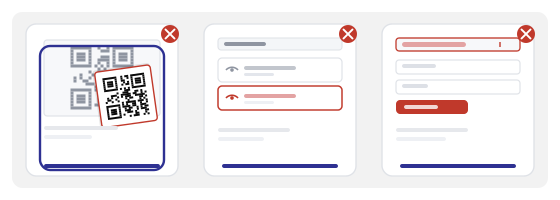
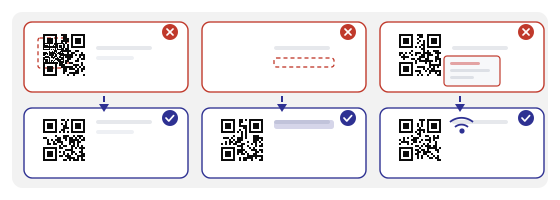
Nearly every real incident fits one of these three shapes. They look different, and the response to each is different.
A sticker over a sticker
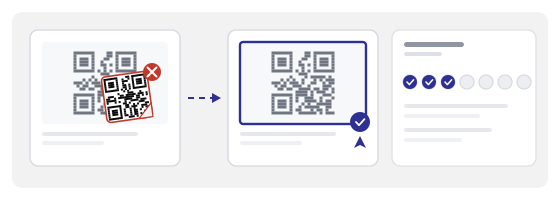
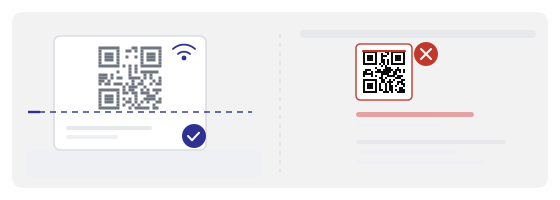
The original code stays on the wall, untouched, with a new one on top. The gentlest, cheapest attack there is. Look for the edges — this is the one physical check that catches most cases.
A network one character off
Two networks with almost the same name, one run by the venue and one by whoever is nearby. The code connects you to the second. Join from your phone's list instead of the code, and compare the spelling on the printed card.
A login page that asks too much
A convincing copy of the venue's page that asks for a card «to verify», an email password, or a code from an SMS. Nothing a guest network needs looks like that. Close it and type the address yourself.
The five minutes after you connect
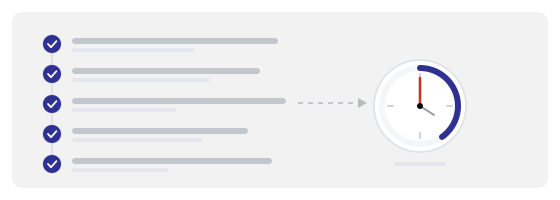
Most of the damage happens after the scan, not during it, and the habits are small. Do not open your bank, and do not pay by card on a network you do not control. If a site you were already logged into suddenly asks you to sign in again, close the tab and type the address yourself rather than following the link.
Two more that cost nothing. Turn off auto-join for open networks, so your phone stops reconnecting to «Free_WiFi» in every city you visit. And treat the padlock in the address bar as a floor rather than a guarantee: it means the connection is encrypted, not that the site is honest, because certificates are free and anyone can have one.
VPNs, hotspots and honest limits
A VPN hides your traffic from the network operator, which is exactly the thing described above. It does not save you from a fake login page, because you typed into that page before any tunnel existed. It also does not make an untrustworthy venue trustworthy; it only means the operator sees less.
For most people the simpler answer is the phone's own hotspot: no subscription, no app, and the network is yours. A VPN earns its place if you work from cafés regularly. Neither is a substitute for the ten-second check, because both of them start after you have already joined.
If you run the venue
Almost all of the risk above is created by the venue, not by the guest, and almost all of it can be removed at the counter. Put the code where staff can see it — a table in the corner or a wall around a blind corner is where a fake survives for months. Print the network name and the password in plain text next to the code, so nobody has to scan to find out what the network is called, and a mismatched name becomes obvious.
Check the sticker on a schedule, and after every refit, deep clean or change of management. Take a photograph of every installation, so the next person knows what it is supposed to look like. And keep the code as a convenience rather than the only route in: a printed password is a smaller security risk than a guest who gives up and asks a stranger for a hotspot.
What a good venue Wi-Fi code looks like
One code, at eye level, behind the till or on the counter where an employee can glance at it. Printed or laminated rather than a bare sticker, on matte material so the ceiling lights do not wash out half the square. The network name in readable text above it, the password below it, and one short line saying what happens after the scan.
That last line matters more than it sounds. «Scan to join — opens a page, no password needed» removes the hesitation that makes people scan whatever is quickest, including a sticker that someone else placed. A guest who knows what to expect is a guest who notices when something is wrong.
Common mistakes
- Joining a network because a code told you to, instead of checking the name against the printed card.
- Scanning without looking at the sticker itself — the layer, the edges, the glue line.
- Typing a card number or an email password into a guest login page.
- Following a «sign in again» link from a page you did not open yourself.
- Leaving auto-join on for open networks, then wondering why the phone connected by itself.
- Running a venue code that is the only way to learn the password.
How to build it in practice
If you manage the network, a dynamic QR code is the better choice for two reasons that have nothing to do with design: the destination can be changed without reprinting the table cards when the login page moves, and you get a scan count that tells you whether the code is being used at all. A code nobody scans is a code nobody is maintaining.
In the QR Studio, build the whole table card rather than just the square: the network name in clear text, the code at a readable size, the quiet zone intact, matte background. Most bad venue codes are not badly designed, they are designed as an afterthought, squeezed into a corner where the white margin disappears.
Then check the finished print with the QR scanner, in the room, under the actual lighting, with the oldest phone you can find. A code that reads perfectly on a monitor and fails on laminated card under a spotlight is a reprint, and reprints are the reason venues stop bothering.