
For business
QR codes for events: tickets, entry and everything between
At an event the code is the one object that has to work exactly once, at the worst moment of the day: at the door, in a crowd, on a network the crowd itself has just knocked over. Everything else a QR does at an event — the schedule, the floor plan, the feedback form — is a bonus on top of that single second.
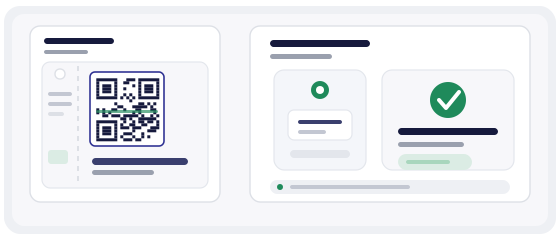
The door decides the evening
A queue of two hundred people does not form gradually. It forms in the first ten minutes, and from then on the event has a visible problem no amount of good music will fix. Each guest spends six to ten seconds at the gate; if your scan takes twenty, the line outside doubles before the first act is on.
So this is not a design question, it is a throughput question. Everything below is written from the gate backwards: what has to happen in that second, and what quietly breaks it.
A ticket code is not an information code
Almost every other QR on your site is meant to be read many times by many people — a menu, a schedule, a poster. A ticket code is the opposite: it has to prove something once, to one operator, and then never again. Those two jobs want different engineering.
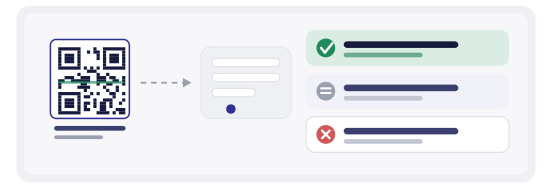
The proof is the state, not the code. Your check-in system has to answer one question in a glance: has this already walked through the door. A code that opens a web page with the guest's name on it looks like a ticket and behaves like a poster.
Static, dynamic, or one code per guest
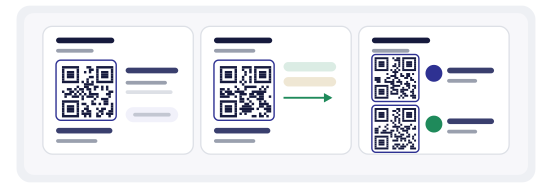
There are three practical shapes, and the honest answer is that most small events are fine with the second.
Static code, fixed destination
Free, no account, and it decodes without a network, which matters more than people expect. But the code printed on the ticket is identical for everyone, it cannot be cancelled, and a screenshot passed around a group chat walks through your door without ever being valid.
Dynamic short link
One code, and the destination is yours to change, close or count. You can shut off a leaked ticket type at 19:40 without reprinting anything. The trade-off is real: every open now depends on your link service being up at the exact minute a thousand people scan.
One unique code per guest
The strongest option, and the most work: a personal link per ticket, a check-in state, and a rule for what a second scan means. Worth it when tickets are expensive or resale is rampant; overkill for a 120-seat room.
What the person at the door has to see
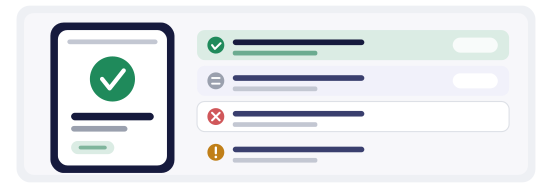
Four outcomes, and they must be distinguishable from arm's length by someone who is also making eye contact with the guest: valid, already used, wrong event or wrong day, cancelled. Anything more detailed belongs on a second screen, not in the operator's face.
Make the result large, make it loud, and put the guest's name on it when you can — the fastest gate is the one where the operator says a name out loud before the guest finishes holding up a phone. A small red box with a technical message is how a queue starts.
The network dies exactly when the crowd arrives
Eight hundred people converge on one square kilometre and the cell towers do what cell towers do. This is predictable, and it is not a reason to abandon QR — it is a reason to design for offline from the start: download the guest list before the doors open, let the scanner work offline, queue the scans and sync afterwards.
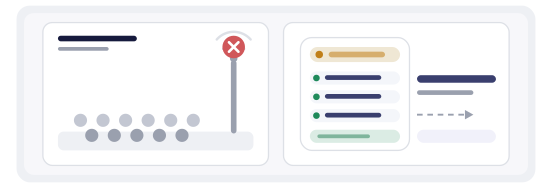
That offline mode has a cost nobody mentions in the brochure. Two gates working from the same downloaded list will both admit the same guest, and neither will know. So either run one offline gate, or accept the duplicates and reconcile after the show — but if you reconcile later, you cannot promise the operator that a second scan means already inside.
The ticket page is more than the ticket
Behind the code, put what people actually ask at the door: date, start time, last entry, the address with a map link, what may be brought in, and the running order. Then the add-to-calendar button, because half of the people who scan will never open the email again.
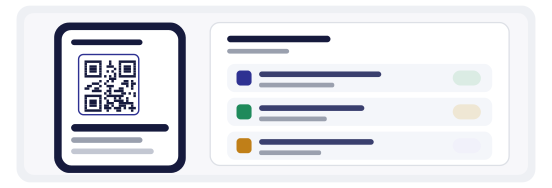
Last entry is the line almost everyone forgets, and it is the one that generates the angry conversation at 00:20. A page that answers “can I still get in” saves a member of staff at the gate, which is the cheapest staffing decision you will make all week.
What a code cannot stop
No QR prevents a screenshot. A ticket is a picture of a ticket, and if two people hold the same picture, the only thing standing between them and two entries is your check-in state. Sometimes that is the organiser's own doing: a print-at-home ticket with no name and no ID check is a ticket that says share me.
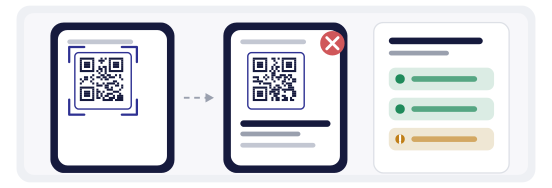
If sharing is a real commercial risk, the practical defence is a name on the ticket plus a glance at an ID at the door — not a cleverer square. And if the event is small enough that sharing is a compliment, stop paying for a system that fights it.
Wayfinding: one code is not a map
The classic mistake is one code printed on every pillar of the venue. Inside a crowd it tells you nothing you did not already know, because everyone can scan it and everyone lands on the same page. One code per zone is barely more work and actually answers “where am I”.
Placement decides whether it gets scanned at all: eye level, not the floor and not the ceiling; a matte print, because a glossy poster under a stage light turns into a mirror; and light background under dark ink for anything inside a dim hall, since a dark code on dark fabric is decoration, not signage.
Feedback, at the right minute
The best response rate comes in the twenty minutes after the final act, while people are still in the building and still have an opinion. Ask one question, not five. A five-question form on a phone at midnight gets closed, and a closed form teaches you nothing.
Use a separate code on the exit and on the wristband rather than the ticket code. Mixing them means your feedback rate is calculated against the wrong denominator, and you end up believing that two percent of attendees replied when actually a fifth of the people who saw the exit poster did.
How to build it in practice
In the QR generator you create the destination first and the code second — a dynamic short link for the ticket type, or one link per guest if you are running named tickets. Download the print-ready file at the size the ticket will actually be, not the size that looks good on a monitor.
The QR Studio is where the physical side gets decided: the ticket itself, the badge, the pillar poster with a frame broad enough to read SCAN TO ENTER from three metres. Build one template per event series so next month's poster does not start from a blank page.
Before the print run of five thousand, scan the first one with the QR scanner — then scan a photocopy of it, at the size and in the light it will live in. A code that fails on the photocopy is a queue you have not paid for yet.
What is worth measuring
Scans per gate in fifteen-minute slices show you the bottleneck before the queue does, and tell you whether to open a second door next time or just move a scanner. Duplicate scans are the honest measure of shared tickets. Scans after the start time are the size of your latecomer problem, which is a staffing number, not a marketing one.
The trap is treating total scans as attendance. A scan is an open, not a person: someone can scan twice, a staff member can scan a poster while testing, and a guest who cancels before the page loads never becomes a visit at all. Compare like with like — gate against gate, night against night.
Mistakes that cost the print run
- The code was tested on a screen, never on the actual printed ticket.
- No offline path, and the venue has thick walls and eight hundred phones.
- A static ticket code with no check-in state, so a screenshot is a valid ticket.
- One code for the whole venue instead of one per zone.
- Feedback requested before the final act, with a five-question form.
- Total scans reported as attendance in the post-event email.